
Four treatments patients can preview
Patients choose what they are curious about, and the preview follows that treatment.
- Veneers or a smile makeover
- Full-mouth restoration (All-on-X)
- Orthodontics
- Whitening, in a natural or a brighter shade
Molar's smile simulation software puts a smile simulator on your dental website: a patient uploads a selfie, picks a treatment and sees an AI preview of their own smile.
To see the result they leave their contact details, so every preview arrives in your inbox as a lead with the treatment they chose.
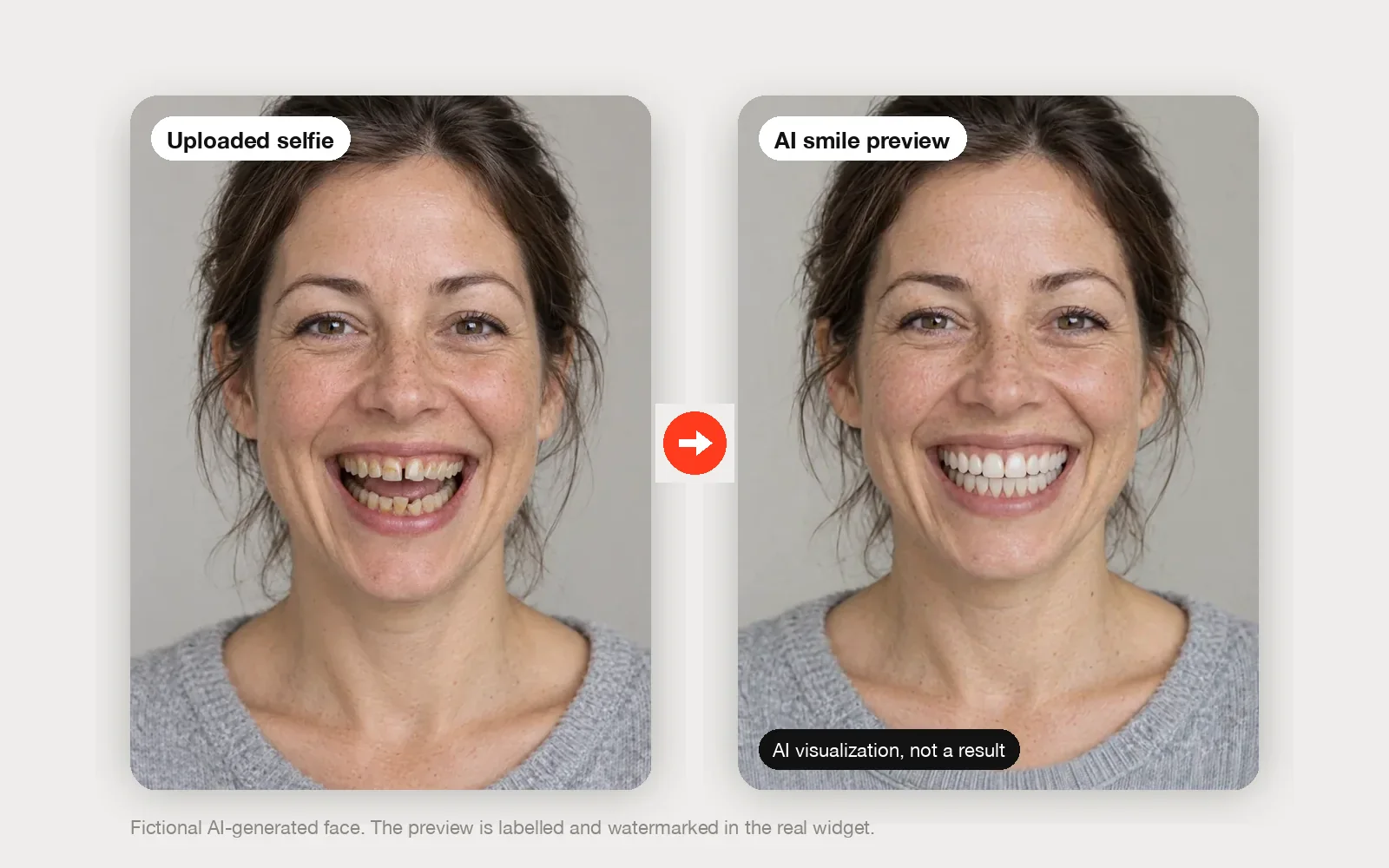
Patients choose what they are curious about, and the preview follows that treatment.
The preview is revealed after the patient leaves a name and phone or email. The lead lands in your inbox with the treatment they picked, and the preview sits in the Smile AI gallery of your dashboard.
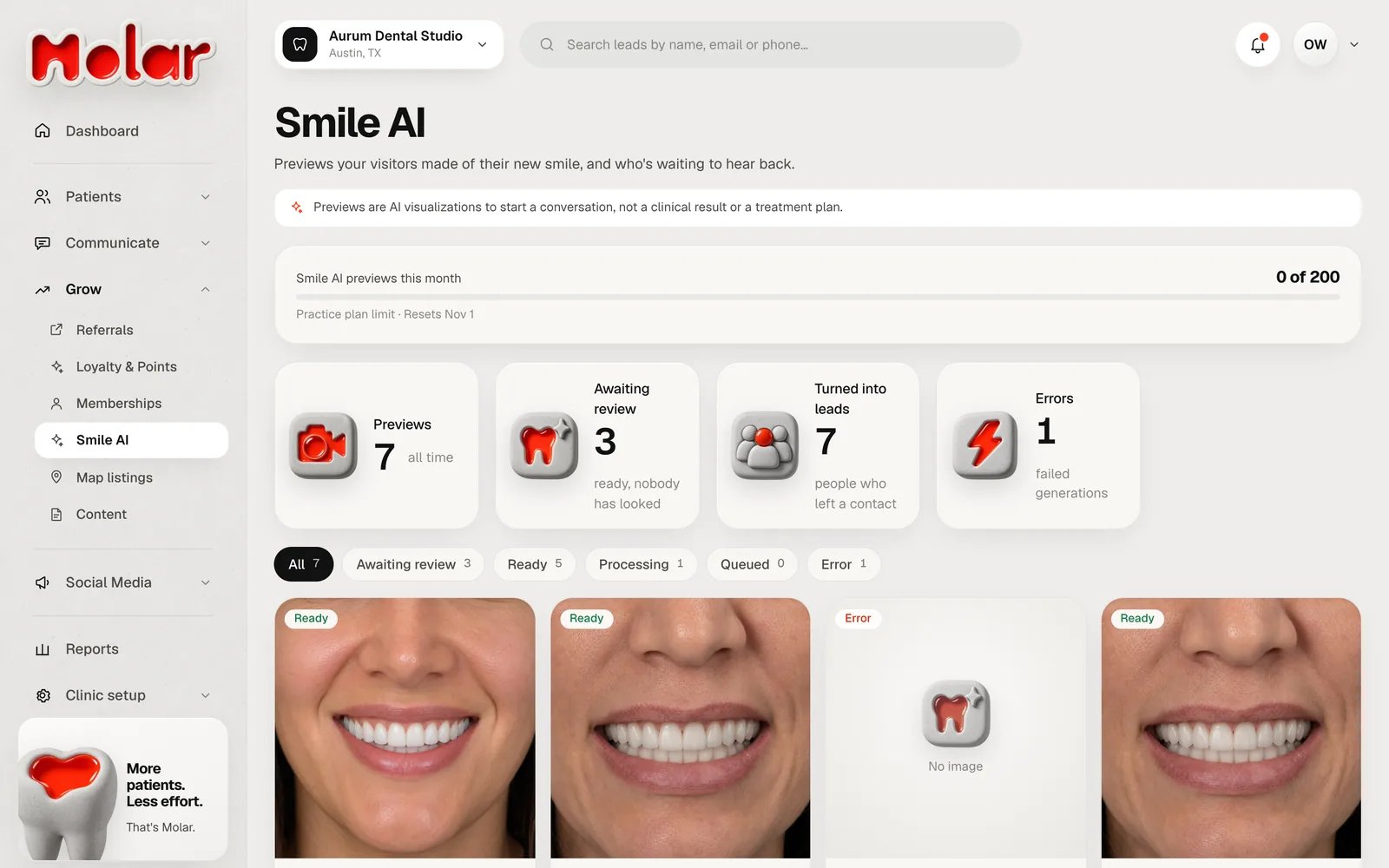
Every preview says it is a visualization, not a result, and carries a watermark. Patients confirm their age and consent before uploading, and Molar doesn't keep the selfie.
Add the simulator to any dental website with one script tag, or get it built into a Molar site. An optional five-second before-and-after reveal video can be switched on per practice.
The live demo opens the real Molar dashboard on a fictional clinic. No sign-up, read-only.